The Rant
Call it Gen X mentality. Call it stubbornness. Call it rebelliousness. Call it whatever. I have an irrational hatred towards people and entities that think they know me better than I do and proceed to force changes to my life that I never asked for.
The Actual Problem
However, this is not entirely a post about me whining about life. It is about a change made to how 1Password works on my MacBook Pro.
Originally, when I activated 1Password, it would ask me for my 1Password password. This password worked on all my devices that has 1Password installed: my phone, my Windows PC, my MacBook laptop, my Linux box, etc. So far, so good. So far, the world makes sense.
Then something happened I don’t know when. Now, when I activate 1Password (e.g from my Edge browser) on my MacBook, an Apple “Use Mac Password…” box comes up instead of (or on top of) the 1Password prompt.
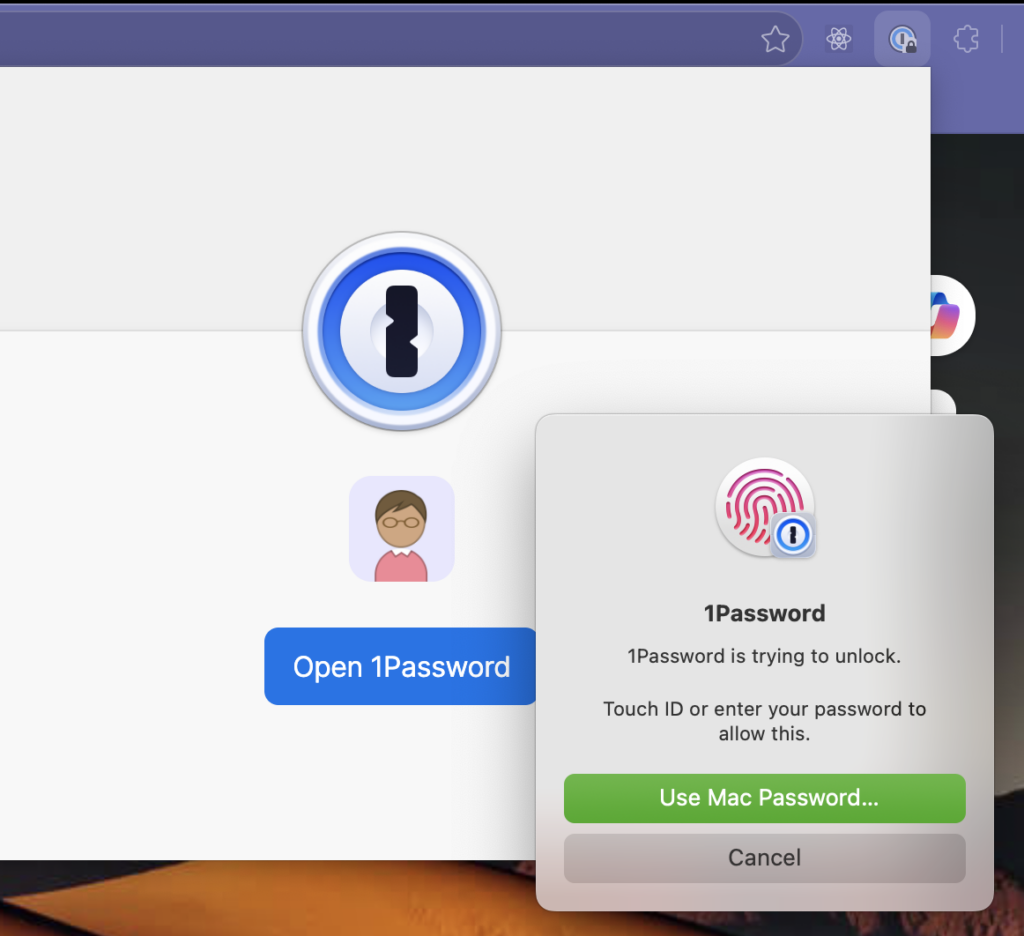
Canceling it closes the box. Clicking “Open 1Password” opens it again. Only after entering my MacBook password will it go away. And in the process, it also authenticates 1Password and opens that. So basically, instead of using my 1Password password, I now use the Mac Password to unlock my 1Password on my MacBook.
And ONLY on my MacBook. Because my Windows PC and other devices (I use an Android phone) aren’t in the Apple world, they don’t use this “Mac Password.”
What started as one password to use for my 1Password account is now two passwords: one for my MacBook and one for everywhere else.
Why? Because somebody decided that, on my MacBook, using Apple’s Mac Password was the easier, more convenient way to go.
Searching for 1Password using Apple Password returns a lot of things to change in the System Settings. Even CoPilot has an opinion. But nothing works. That “Use Mac Password” won’t go away. Reinstall 1Password extension? Nope.
The Solution
After a lot of trial and error, I finally found a solution. It was buried deep in the 1Password desktop app (aka “thick client”), not the browser extension.
Here’s the sequence:
- Go to the App Store and install the 1Password “Password Manager” app.
- Start the 1Password app.
- Go to its “Settings…” under my profile.
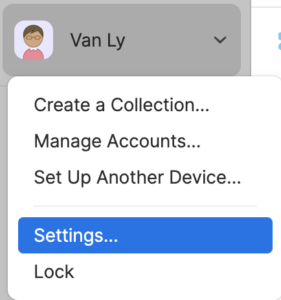
- In the “Security” tab, click to change the “App unlock preset.” There are 3 preset choices:
- Convenient — this is usually the worst option.
- Balanced — this one sucks less but still sucks.
- Strict — this is the one to use.
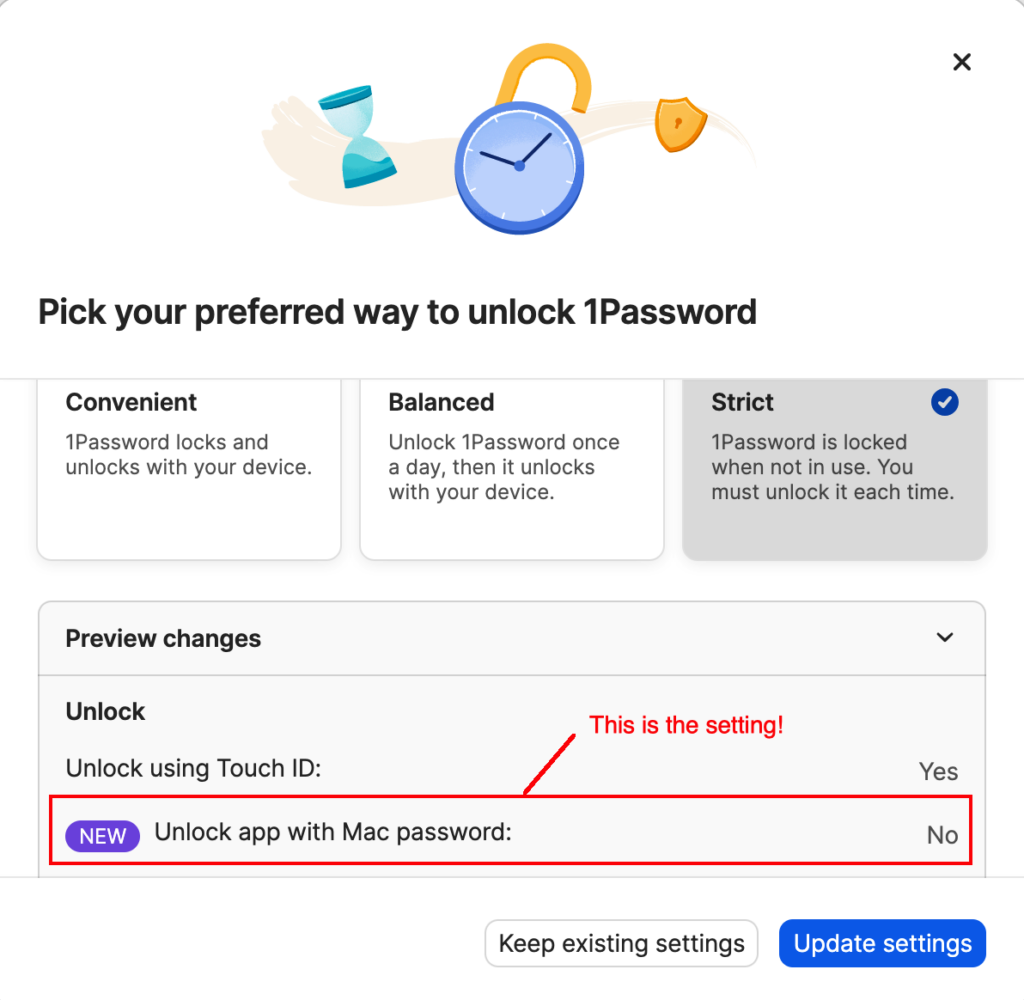
- The relevant behavior here is “Unlock app with Mac password.” Keeping that OFF (or No) will keep the “Use Mac Password” out of the picture. “Strict” is the only preset option that has that set to “No.”
- After changing this, restart the MacBook just so everybody is on the same page.
What about Touch ID?
Even with the “Strict” preset, the “Touch ID” is still enabled. Instead of asking for your Mac Password, it now does this:
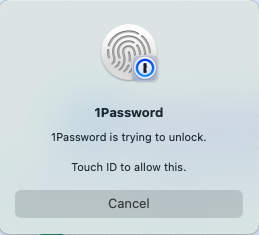
Well. This is not the same as typing in a password. If you want to use your fingerprint instead of your 1Password password, you can keep it on. One can argue that it is more convenient. My Android phone also has this option.
However, if you don’t want that, it’s easy to turn that off as well. To disable this Touch ID option, uncheck the “Unlock using Touch ID” after selecting a preset. Note that, once you do that, the App unlock preset changes from “Strict” to “(Custom).”
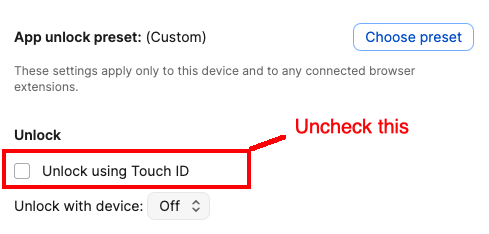
Again, after making any updates/changes, restart the MacBook to make sure everything is updated, because caching is another one of those things that people overuse despite the danger of stale information.
But WHY?
So who was the genius that decided to do this?
Was it Apple? As tempting it is to think so given their attitude, it is not Apple. It was the people behind 1Password.
The 1Password people decided to “integrate” with MacBook Password this way. The setting that toggles the behavior is in the 1Password configuration, not anywhere in the Apple’s System Settings.
And as it turns out, that configuration is unavailable from the browser extension. As mentioned, all the suggestions from the articles from the Web to tweak this and change that in my MacBook’s System Settings and Edge settings are useless.
I have to download and install the 1Password app for the MacBook and log into the app to see and change that app unlock setting.
Epilogue
I know engineers—they love to change things.
— Leonard McCoy